Showing posts with label Django. Show all posts

13 Nov 2017

Django Internal: create()

A model instance is corresponds to a record in the database once saved. In this post i am going to
explore what happens behind the scene when you call  create(). It create a instance of model and save that instance which creates a record in the database.

let say we have a model defined as:

class Author(models.Model):
   name = models.CharField(max_length=100)
   age = models.IntegerField()


Lets go step by step to deconstruct Author.objects.create()

Creating instance of model

 instance = Author(name="roy", age=47)

1. signals invoked
Once starts it send signal pre_init and on successful completion of this method post_init is called.

2. check for given model fields not values.
check can fail if you more arguments than number of fields or attribute which does not present on model.
for example:
instance = Author(name="roy", age=47, code='python')
TypeError: 'code' is an invalid keyword argument for this function.
Each model has attribute called ._meta through which gives related details for models


As for information the models.Model  has an abstract base class called ModelBase which add attributes on a model itself like ._meta, errors (DoesNotExist, MultipleObjectsReturned) and validating model itself for its concrete definition.


Saving model instance
model method ._save_base() is called by save() to save model instance.  this where pre_save() and post_save() signals are invoked.

There are couple of important actors involved in here, I would like brief them.
 1. InsertQuery: instance of class is initiated for actual SQL' s raw query by passing model fields objects and values.
2. SQLInsertCompiler: This is SQL compiler for InsertQuery. It is a place where django models fields and values are parsed into SQL raw statement.
3. DatabaseWrapper: It is an wrapper for
mysql-python client. It creates connection to SQL server and uses cursor to execute the raw SQL statement.

Queryset private method _insert() is place where things kick off at low level.  creating a record means INSERT SQL query. This happens inside a atomic transaction.
Basically django creates insert query gives that to compiler and compiler invoke database's wrapper method execute() by passing raw SQL statement as

     cursor.execute('INSERT INTO `author` (`name`, `age`) VALUES (%s, %s)', ['roy', 46])

Once above code is executed successfully record is being is created in database. And thereafter post_save signal is invoked. And that s how an model instance creates an record in database. 

Hope you found it interesting, keep reading.

14 Oct 2017

Django Manager's methods

In this post i am going to explore how django.db.models.manager.Manager class supports queryset methods.

>> Book.objects.all()           # returns a queryset.
>> Book.object.filter(author='george-orwell' )        # returns all books by author george-orwell.
>> Book.objects.delete()    # deletes all instances.

 Here Book.objects is an instance of Manager class django.db.models.manager.Manager.
Ok, which means all these methods should be defined for this class.  No, all these methods are not defined for manager class but for Queryset class.

Manager class inherits from  django.db.models.manager.BaseManagerFromQuerySet class.
And magic is there is no such class as BaseManagerFromQuerySet.
That class  is dynamically generated by method from_queryset of class BaseManager.
>> BaseManager.from_queryset(QuerySet)

This is where all magic happens.
What it does is it takes all the methods of QuerySet and dynamically attach all these methods to a newly created class BaseManagerFromQuerySet. And this class is used as a base class for Manager class.

And that' s how filter(), delete() etc. can be invoked on manager.


Hope you guys find it useful.

Reference:
manager.py

3 Mar 2014

CSRF verification failed while making POST request from REST client

Problem :  CSRF verification failed
Recently i was using the chrome REST extension for testing the API calls.

When a POST request is made for a django url using extension, i got 403 forbidden error with message

CSRF verification failed. Request aborted

Why this problem?
I dig to the django docs and found that with every POST request a CSRF token is required.
So it was needed to pass that CSRF token as a value of X-CSRFToken Http header as a part of POST request.

Solution
find the the value of CSRF token and pass it as a value X-CSRFToken header in POST request.
Pretty easy to find CSRF token value by using request object.
 >> request.COOKIES['csrftoken']
'ofDXgUB8kChf7pRkUypjDdtGrQsK8xYb'
or
 >> request.META['CSRF_COOKIE']
'ofDXgUB8kChf7pRkUypjDdtGrQsK8xYb'


1 Mar 2014

Source code : django.http.request

Learning from source code is a best way to grasp the concepts behind  a framework, library or a language.
So I got the copy Django source code and started with module django.http.request module. In this post i'm going to share what i have learned from that.

1.  DEBUG and ALLOWED_HOSTS
When DEBUG is False make sure you have initialized the ALLOWED_HOSTS, otherwise get the SuspiciousOperation error.

A host is either HTTP_HOST or HTTP_X_FORWARDED_HOST. If  DEBUG is True that host is used and if DEBUG is False then host is validated from ALLOWED_HOSTS list.
        # There is no hostname validation when DEBUG=True
        if settings.DEBUG:
            return host

        domain, port = split_domain_port(host)
        if domain and validate_host(domain, settings.ALLOWED_HOSTS):
            return host
        else:
            msg = "Invalid HTTP_HOST header: %r." % host
            if domain:
                msg += "You may need to add %r to ALLOWED_HOSTS." % domain
            else:
                msg += "The domain name provided is not valid according to RFC 1034/1035"
            raise DisallowedHost(msg)


When that host name is not found in ALLOWED_HOSTS it throws error :
SuspiciousOperation: Invalid HTTP_HOST header (you may need to set ALLOWED_HOSTS): localhost:8000
Solution is to add a hostname string in ALLOWED_HOSTS list.


2. Finding request scheme (i.e. http or https)
Inelegant attempt is to check the request.META for 'wsgi.url_scheme'.
 >> request.META[''wsgi.url_scheme']
'http'

Ideally 'scheme' attribute should be related to the request object, something like request.scheme
Up-to the Django version 1.6 there is no 'scheme' attribute for request object.
At this point i was a bit excited to suggest a django ticket for that.
But i found that in development version they are going to associate scheme to request object.


So these two stuff i found , hope to share more in coming posts.


29 Nov 2013

Using Django Social Auth

I have been trying to integrate a facebook login for my side-project site. There are various modules available but that works for me is django-social-auth.
This module provides the integration of various social platforms like facebook, twitter, google etc.
Please install that module before preceding . It also had a good documentation, which ca be found here.

 In this post i'm just posting about stuff to how to integrate facebook login in your Django app.

Step 1. Create a facebook app.
facebook app which will gives you App ID/API Key and App Secret which will be used in Django settings.
Please make sure that  following app settings: 
  >> Sandbox Mode is ON
  >>  Site URL is a http://127.0.0.1:8000/ . 
        This should be the url from which you going to make a login request.

Step 2. Django Setting for facebook intergation.

AUTHENTICATION_BACKENDS = (
    'social_auth.backends.facebook.FacebookBackend',
    'django.contrib.auth.backends.ModelBackend',
)

FACEBOOK_APP_ID =  "app_id"
FACEBOOK_API_SECRET = "app_secret"


LOGIN_URL          = '/login-form/'
LOGIN_REDIRECT_URL = '/logged-in/'
LOGIN_ERROR_URL    = '/login-error/'
LOGOUT_REDIRECT_URL = '/'


SOCIAL_AUTH_DEFAULT_USERNAME = 'auth_user'
SOCIAL_AUTH_UID_LENGTH = 16
SOCIAL_AUTH_ASSOCIATION_HANDLE_LENGTH = 16
SOCIAL_AUTH_NONCE_SERVER_URL_LENGTH = 16
SOCIAL_AUTH_ASSOCIATION_SERVER_URL_LENGTH = 16
SOCIAL_AUTH_ASSOCIATION_HANDLE_LENGTH = 16

SOCIAL_AUTH_ENABLED_BACKENDS = ('facebbok',)
FACEBOOK_EXTENDED_PERMISSIONS= ['email']


Step 3. Login link in your html page.
 <a href="{% url socialauth_begin 'facebook' %}">Login with Facebook</a> 
you can make that link a bit fancy using facebook login button. but for now that will serve our purpose.

Step 4. Add url for social-auth.

Add follwoing url for social-auth login in urls.py .
url(r'', include('social_auth.urls')),

and 
following url will take to a view , once user is logged successfully.

url(r'^logged-in/$', 'pollsite.views.home', name='home'),

in above line you can use , LOGIN_REDIRECT_URL which is same as 'logged-in'.


When you click on that link, a familiar facebook login page will appear.


Thats it.  If you encounter any problem , please post it as a comment and i'll be happy to help you out.
 And keep reading.

10 Oct 2013

Custom HTTP 404 error page in Django

Django default HTTP 404 error page looks like this , provided in DEBUG=True in settings.py file.
Following error message is fine for the development , but when you are going for production then you need lot better than that.


In following steps describes how can you serve your custom 404.html page for HTTP 404 error.

Step 1: Create a 404.html file having your error message.

Step 2 : Place 404.html in directory pointed by TEMPLATE_DIRS .

Step 3: In urls.py set handler404 = 'app.views.custom_404'. this will be a you custom view which will return the 404.html page when Http 404 error occurs.

Step 4: Create you custom view in views.py , 
          def custom_404(request):
                    return render_to_response('404.html')

Step: 5 in settings.py , ALLOWED_HOSTS = ['hostname'],  this will be a IP address from which you are running the django project.

Step 6: very important , in settings.py , make DEBUG=False, Only then you will able to see the custom error page.


Hope that now you will easily able to see you custom error page.


28 Aug 2013

Django Import Cheat-sheet

In large full fledged Django web project consist the several applications and each applications having the view which are using various django's methods or classes. I  have noticed that some imports for methods or classes are used in almost every view. 

To keep them in sight i'm listing it out here : 

from django.http import HttpResponse, HttpResponseRedirect, Http404
from django.shortcuts import render_to_response
from django.template import RequestContext
from django.contrib.auth.decorators import login_required, permission_required
from django.contrib.admin.views.decorators import staff_member_required
from django.contrib.auth.decorators import login_required
from django.core.exceptions import ObjectDoesNotExist, ViewDoesNotExist

from django.utils import simplejson
from django.template.defaultfilters import slugify
from django.template.loader import render_to_string
from django.core.urlresolvers import reverse
from django.db.models import Q


from django.core.exceptions import PermissionDenied
from django.utils.translation import ugettext as _
from django.forms.models import modelformset_factory

26 Aug 2013

Stacktrace of Django's Request and Response

In this post I'll going to explore what happens behind the scenes when we make a request for a resource (normally a template) and how Django sends the response.
All of the action happens in the django/core/handlers/base.py file.

1. On request server make server instance which is django.core.handlers.BaseHandler object. The server can be mod_python or wsgi type.


2. Import project's setting.py file and Django custom exception classes.


3. loads middleware classes by calling the load_middleware() of BaseHandler. 

    (ImproperlyConfigured exception is thrown from  here)

4. server instance dispatches the request_signal and create the instance of HttpRequest. this request object may be of mod_python [ django.core.handlers.wsgi.ModPythonRequest ]  or wsgi [ django.core.handlers.wsgi.WSGIRequest] depending upon the server type.


5. get_reponse(request) of BaseHandler is called. Its main purpose is to return HttpResponse object. This is most important method to for a request to get successful response or otherwise. 

I have divided the working of get_reposne(request) in following two phases:

phase 1: request

a). Execute the process_request(reqest) of middleware by passing the request object.
b). If process_request() returns the None then resolves the url by calling resolve() on    
     django.core.urlresolvers. 
c). If url resolution is successful then  calls process_view( request, view_fuc, url_arg )
     If url is not successful then returns the django.http.Http404.

process_view( request, view_fuc, url_arg ) either returns None or HttpResponse object.

 If it returns None then Django will continue processing the request and will call appropriate view. 
If it returns the HttpResponse object then django will not call view. 


phase 2: response

When view() is called and it should either response or exception.
If response is  response_object :
a).process_template_response(request, reponse ) is called by view() if response instance has render() associated with it, response parameter is of type TemplateResponse.
It is where you get the required response (html). 
 b).process_template_response(request, reponse ) is called by view() if response instance has render() associated with it, response parameter is of type HttpResponse or StramingHttpResponse.
If response is  None: 
c). process_excpetion(request, exception) is called which throws ValueError like:
raise ValueError("The view %s.%s didn't return an HttpResponse object." % (callback.__module__, view_name))

So for every request(url) either you will get response (e.g. html) or exception. 

10 Aug 2013

Selecting checkboxes in jquery

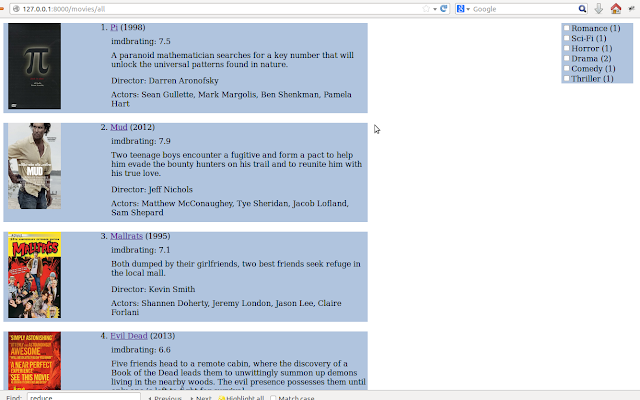
In my recent side project (clone of imdb.com), number of checkbox options were provided from which user can select the genre(s) of the movie and on the basis of that movies are filtered and shown.
Basically this is divided into two parts, first in which i'll get the all checked genre(s) and second part is to show movie(s) based on that genre(s).


In this post i'm wrting about how i accomplished first part which is divided into number of tasks.

In my template , following is code for showing genre(s) each having  checkbox option.

<div class="refine_box">
        {% for k, v in genre_dic.items  %}
            <input type="checkbox" class="check_id" name="genre" value="{{ k }}">{{ k }} ({{ v }})<br>
        {% endfor %}
</div>

genre_dic is a dictionary having key as a genre and value is number of movies for that genre.

task1: get the value of checkbox which is checked. 
 $(".refine_box input[type=checkbox]").click(function() { 
        
            var isChecked = $(this).is(':checked');
            if(isChecked){
                    alert(#(this).val())
            }
});


task2: get the values of all checkboxes which are checked.
 $(".refine_box input[type=checkbox]").click(function() { 
        
        var arr_refine = [];    //this will store all clicked checkboxes

        $(".check_id:checked").each(function() {
                arr_refine.push(this.value);

        });
 
  }); 

task3: passing array from ajax request to Django view.
In previous task i have created a array holding all genre, so in this task that array we will send to view.
      $.ajax({
                    url: "{% url ajax_refine_movieslist %}",
                    data: {arr_refine: arr_refine},
                   
            });    


Follwoing is whole code of jquery :
 $(".refine_box input[type=checkbox]").click(function() { 
        
        var arr_refine = [];

        $(".check_id:checked").each(function() {
                arr_refine.push(this.value);
               
        });

        $.ajax({
                    url: "{% url ajax_refine_movieslist %}",
                    data: {arr_refine: arr_refine},
                    dataType:'html',
                    success: function(newData){
                         $('.movie_listing').html(newData);
                    }
                   
            });       
   
    }); 
   
task4 : printing the list holding the selected genre(s)
def ajax_refine_movies(request):
    genre_list = request.GET.getlist('arr_refine[]')
    print genre_list


This is how i'm getting the all checkbox selected options.
Soon i'll post second part of this.


30 Jul 2013

Serving uploaded images in Django

I ran into trouble while serving the uploaded images from database in template. In this post i'll  share what mistakes i made and how i rectified those mistakes.

Problem was :
In template the uploaded image was not showing like
{% for movi in all_movies %}
<div class="movie_frame">
<img src="{{MEDIA_URL}}{{ movi.poster}}" alt="xxx" height="140" width="110" />
</div>
{% endfor %}


For uploaded files one needs to set the MEDIA_ROOT and MEDIA_URL setting in settings.py.
setting.py
SITE_ROOT = os.path.dirname(os.path.realpath(__file__))
MEDIA_ROOT = os.path.join(SITE_ROOT, 'media')
MEDIA_URL = '/media/'

Note:
MEDIA_ROOT is a absolute physical location where the images are to be stored. This will create a 'media' folder under SITE_ROOT.
MEDIA_URL  is url reference which is to be used inside template to get the image.


Mistake 1: The value of MEDIA_URL is same as the MEDIA_ROOT value i.e. "media".


Correction : changed the MEDIA_URL value from "media" to "/site_media/". you can give any valid string but make sure it should not be same as of MEDIA_ROOT value.


models.py
from django.db import models
from imdbclone.settings import MEDIA_ROOT
class Movies(models.Model):
    title = models.CharField(max_length=50, blank=False)
    plot =  models.CharField(max_length=500, blank=True)
    actors = models.CharField(max_length=200, blank=True)
    poster = models.ImageField(upload_to=MEDIA_ROOT, blank=True)

here poster will save the image to MEDIA_ROOT which is already been there, that initially i thought.

Mistake 2: upload_to attribute of ImageField is MEDIA_ROOT , is wrong.

Correction : poster filed in database will have the absolute path to the image like /home/navyad/workspace/imdb/imdbclone/imdbclone/media/media/image.jpg, which is wrong.
I changed the upload_to attribute value from MEDIA_ROOT to "poi" (any valid string will work).
Note :
      a)  Corresponding to upload_to value a folder will be created, in this case "poi". This folder will be             created under MEDIA_ROOT. And this is where the image actually stored.
      b)  poster filed in database it will contain image reference like poi/image.jpg,


movies/urls.py :
from imdbclone import settings
from django.views.static import serve
urlpatterns = patterns('',
                           url(r'^site_media/(.*)$', serve, {'document_root': settings.MEDIA_ROOT}),  
)
In template when image is to be displayed using <img src ..> tag , it will make the request to get image. For that we have specified the url.

Mistake 3: placing url for image in wrong file.

Correction : I was using this for movies app and i placed the url for image in movies.urls , which supposed to be in the project main urls.py file alongside where setting.py live.

After correcting all the mistakes , and when image is loaded in template, i found this observation.
The <img src="" /> value  will be like
<img width="110" height="140" alt="xxx" src="/site_media/poi/image.jpg">
note 
src value : MEDIA_URL/upload_to/imagename


With these mistake i have learned how to serve the uploaded content using MEDIA_ROOT and MEDIA_URL.
At end i will share this quote :
If you're not making mistakes, then you're not doing anything. I'm positive that a doer makes mistakes.
John Wooden 

25 Jul 2013

Error: That port is already in use

I was having a trouble to restart a Django server. At first time , i started a server like
>>python manage.py runserver 192.168.1.5:8000
no problem it started running fine.

I had to change the models so i exit the server using ctrl-Z and issue command to create the tables
>>python manage.py syncdb

Now when i tries to again start the server by issuing
>>python manage.py runserver 192.168.1.5:8000 again ,
it returns error message Error: That port is already in use.

This error means that port is already in use and to use same port , first we needs to kill process running on that port. Which involves following two steps :

1. Finding process for port 8000
  >>sudo netstat -lpn |grep :8000
this will return something like:
tcp        0      0 192.168.1.5:8000    0.0.0.0:*        LISTEN      10797/python   

here 10797 is a process id running on port 8000.

2. Kill the process
   >>kill -9 10797

Now
>>python manage.py runserver 192.168.1.5:8000 
would start the server again successfully.


4 Jul 2013

Django path in your system

Django path in your system depends upon on how you have installed Django in your system.

If you have installed Django through pip installer then it should be like
'/usr/local/lib/python2.7/dist-packages/django/ 

If you have installed Django manually i.e. by downloading Django-X.Y.tar.gz file then
Django will be installed in you python installation directory under /site-packages/ directory


Finding Django path
There different ways you can find that out. 
the django path may vary depending upon the OS you are using,following examples are for ubuntu12.04.

>>> import django  
>>> print django.__file__  
'/usr/local/lib/python2.7/dist-packages/django/__init__.py'

or

>> import inspect  
>> import django  
>> print inspect.getabsfile(django)
'/usr/local/lib/python2.7/dist-packages/django/__init__.py'

or

>> import django
>>django

 or

>> import django
>>django.__path__